A track's page
Choose a track in Track Workspace to open its page.
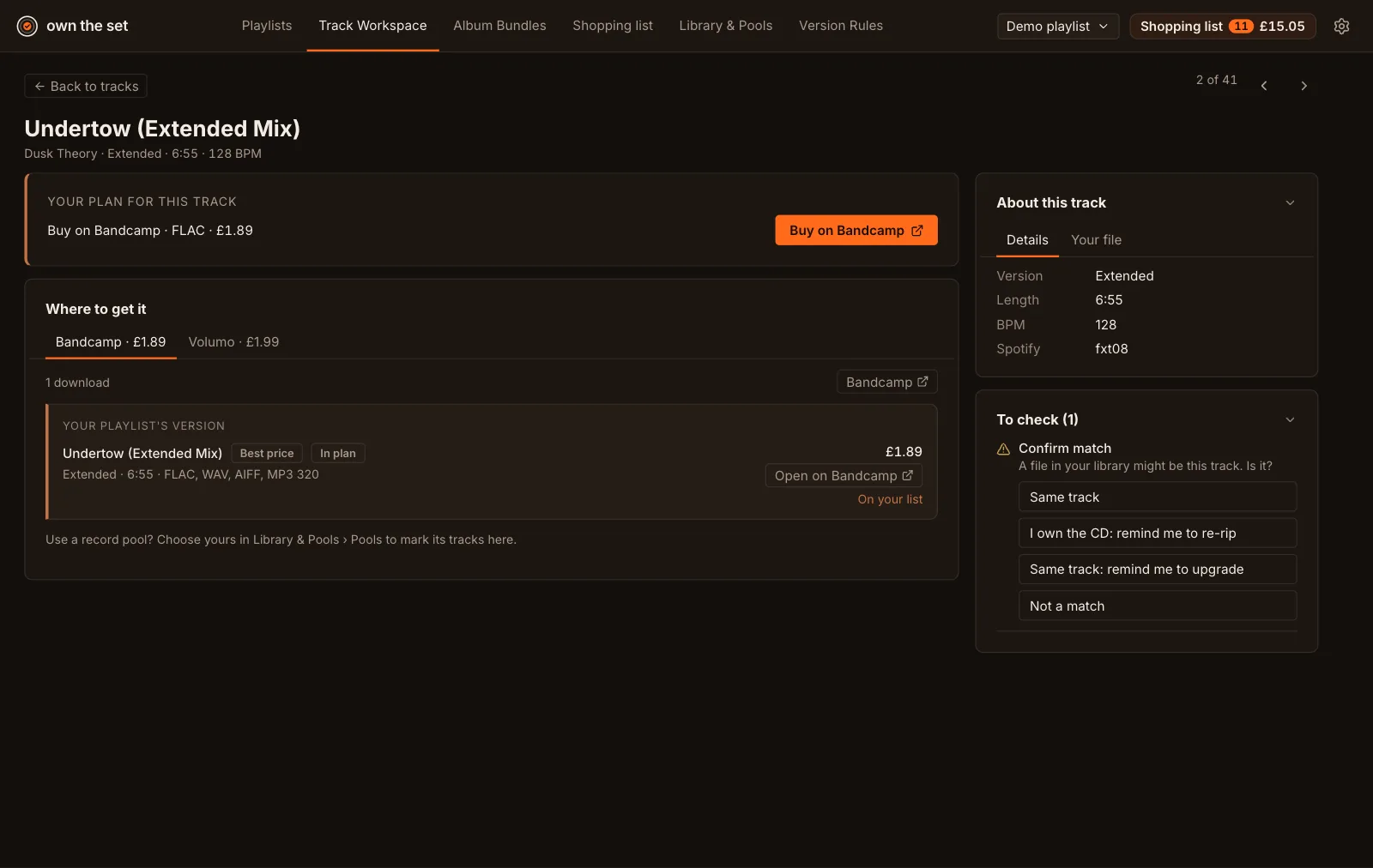
Your plan for this track
Section titled “Your plan for this track”What the plan does with the track, a button to the store’s page or the release, and Add to your list (or On your list, with Take off).
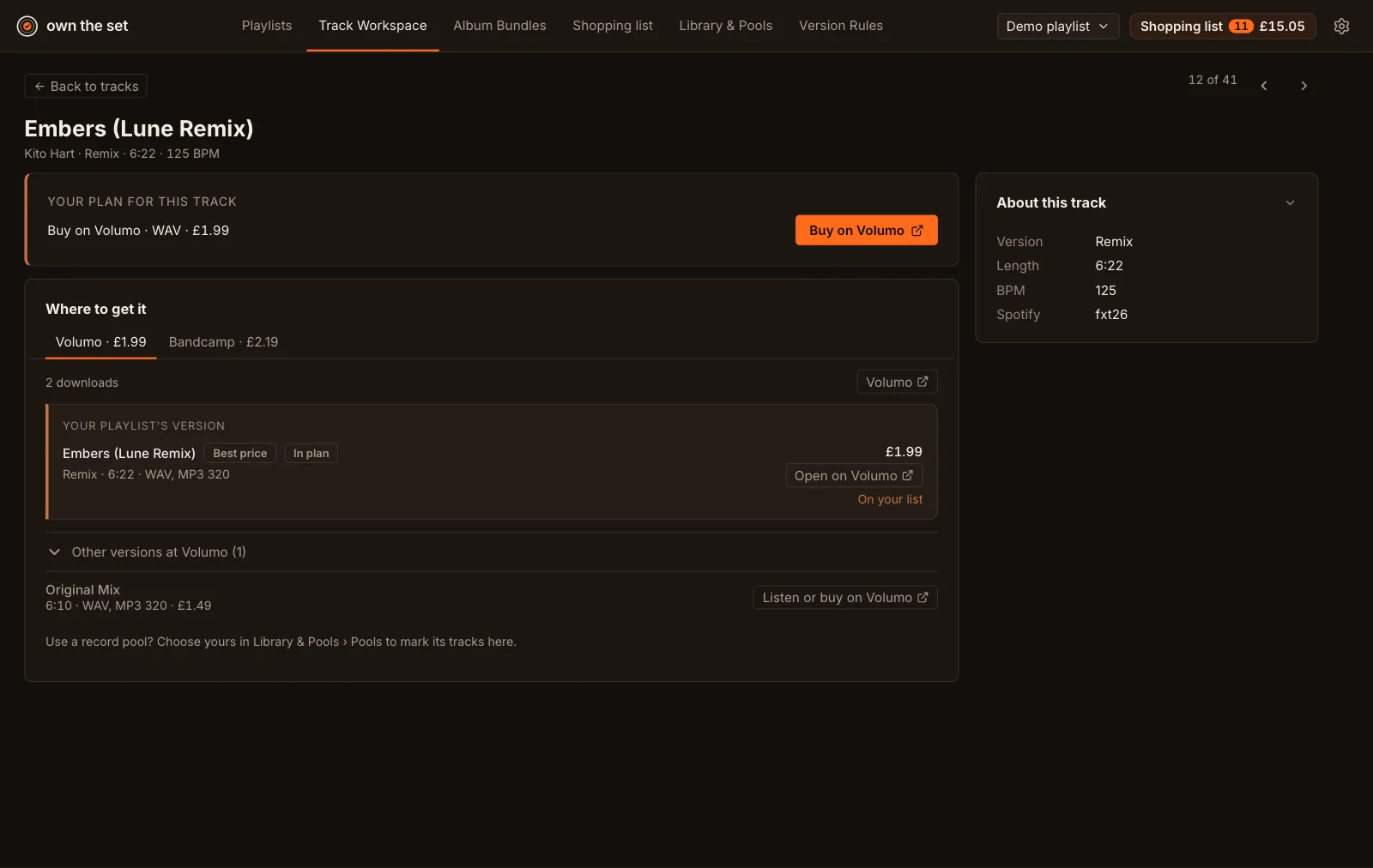
Where to get it
Section titled “Where to get it”One tab per store that has answered, then one per record pool you subscribe to or have marked the track in.
Each store’s tab highlights the version you most likely want: the one in your plan, or that store’s best copy of your version. Its heading says why: Your playlist’s version, Your choice or In your plan. The lowest price carries a Best price label. Add to your list puts it on your shopping list, as the plan’s choice. Use this puts this store’s copy in your plan without listing it, and Undo my pick returns to the plan’s.
Below it, Other versions at [store] is folded away: the store’s other mixes, edits and remixes, each with its length, format and price.
- Listen or buy on [store] opens that version’s page on the store, to hear it first or buy it.
- Add to your list plans that version and puts it on your shopping list.
- Plan this version makes it the version you want, in every playlist the track is in. The plan card names it, every store’s tab highlights it, and To check shows “You chose… instead of your playlist’s…” with Undo.
A store that doesn’t have your version says so, and shows its other versions straight away.
Check prices asks the stores about this track again.
Details and your file
Section titled “Details and your file”Details has the track’s version, length, BPM and Spotify ID. Your file shows the library file matched to it.
To check
Section titled “To check”Decisions sit in the side panel, and each can be undone:
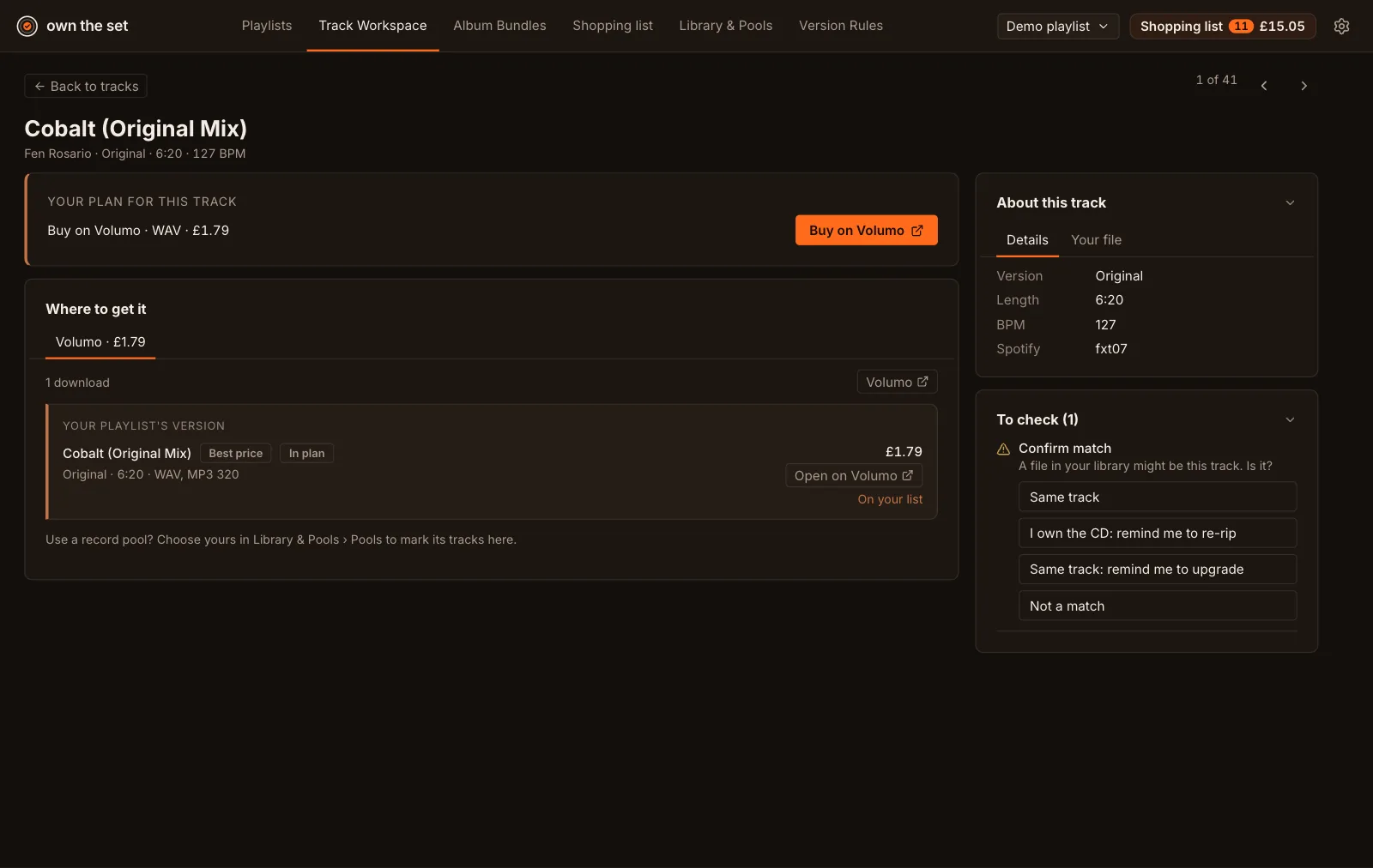
- Confirm match: Same track or Not a match for a library file that might be this track.
- A different version: My file is the right version, or Plan to buy the right version.
- Radio edit only: Use the radio edit, or leave it.
- Upgrade: Remind me to upgrade a 256 kbps file, or I own the CD: remind me to re-rip.
Also in lists the other playlists the track is in.