Record pools
Own the Set knows DJCity, BPM Supreme, ZipDJ and Digital DJ Pool. None of them offers a way for an app to look tracks up, so you mark the tracks yourself. Own the Set never signs in to a pool, and isn’t affiliated with any of them.
Set up a pool
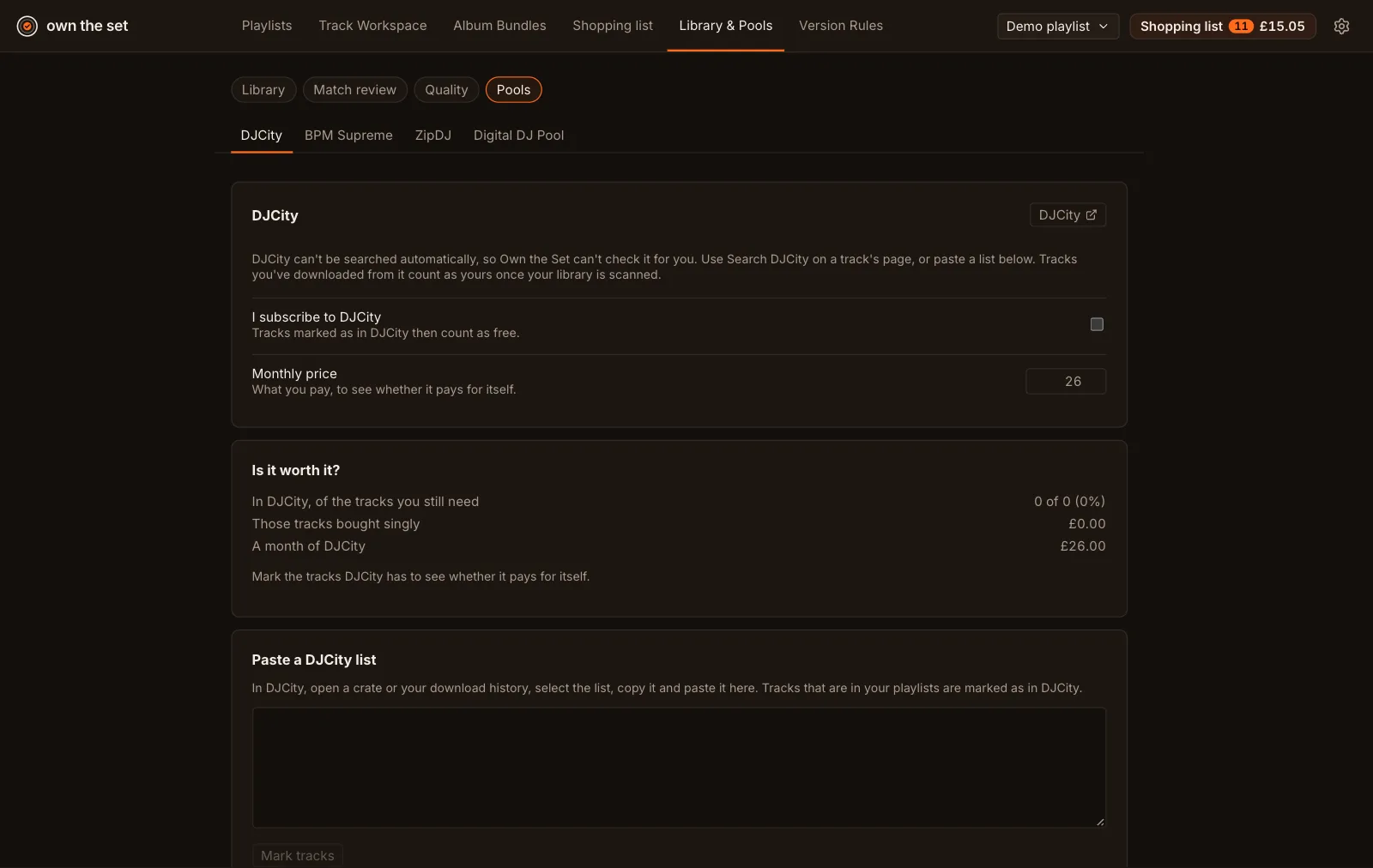
Section titled “Set up a pool”Open Library & Pools › Pools and choose the pool’s tab. Tick I subscribe to [pool] if you do, and enter the Monthly price. Marked tracks count as free only when you subscribe.
Mark tracks
Section titled “Mark tracks”- One at a time: on a track’s page, choose the pool’s tab under Where to get it, use Search [pool] to look for the track on the pool’s own site, then Yes, it’s in [pool].
- As a list: in the pool’s tab, paste a crate or your download history into Paste a [pool] list and choose Mark tracks. Tracks in your playlists are marked.
Tracks you’ve downloaded from a pool count as yours once your library scan finds the files.
Is it worth it?
Section titled “Is it worth it?”Each pool’s tab compares the tracks it has, of the ones you still need, with the cost of buying them singly and with a month’s subscription.